posts > security
MacOS Infostealer "adapts" to new Keychain Protection
TLDR
A recent sample I’ve analyzed changed it’s behaviour depending on the macOS version it is running on:
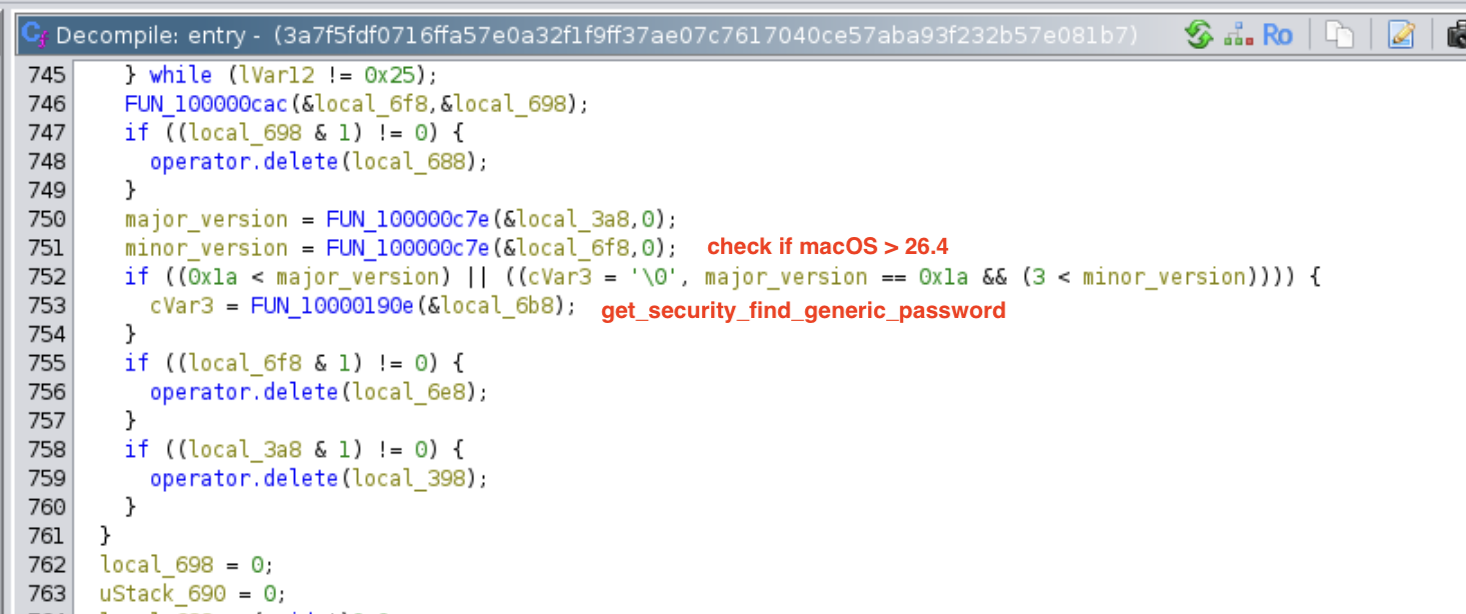
< 26.4: it does the typical fake password dialog flow.>= 26.4and has Google Chrome: it will usesecurity find-generic-password
This is probably as a direct response to Apple’s additional keychain protections on 26.4 which prevents keychains from being decrypted when it copied out of the machine.
Background
Since the first wave of macOS infostealers in 2023 (MacStealer, then AMOS), the macOS malware playbook has been fairly stable. There are a ton of different macOS infostealer families, and the most common set of techniques is:
- Display a fake password prompt to collect the user’s password
- Steal the macOS keychain
~/Library/Keychains/login.keychain-db - Steal browser cookies and other sensitive files (example:
~/Library/Application Support/Google/Chrome/Default/Cookies)
With the user’s password, the keychain and the browser cookie DB, the attacker would be able to decrypt and extract all of the user’s sessions offline. However, because of Apple’s update to MacOS keychain, this flow doesn’t work anymore.
3a7f5fdf0716ffa57e0a32f1f9ff37ae07c7617040ce57aba93f232b57e081b7
A new sample I was analyzing, which is consistent with AMOS/Odyssey indicators, looked almost like your typical infostealer. However, when I ran this on a sandbox 26.6 I had, the behaviour I observed was slightly different.
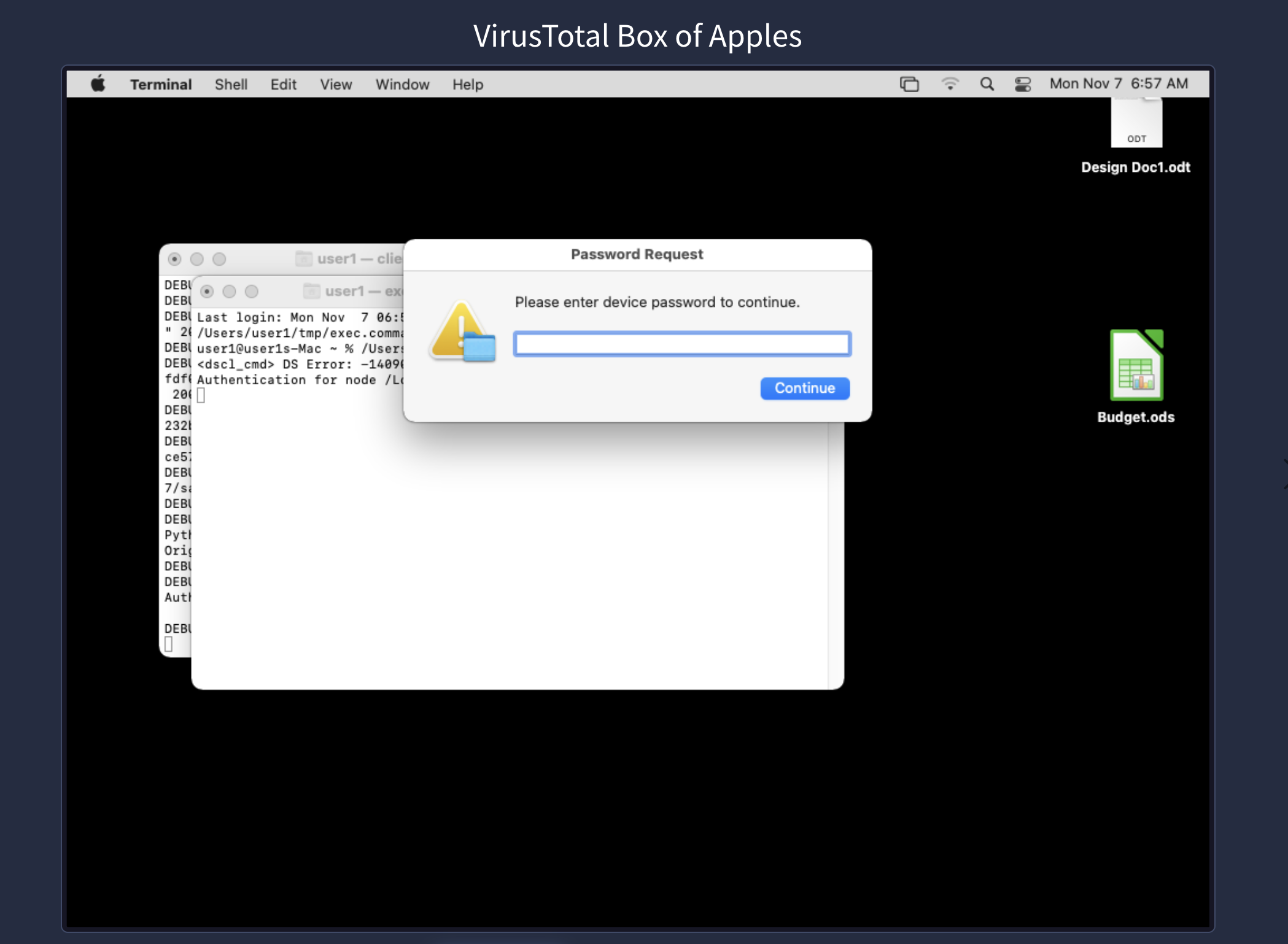
For most sandbox environments, I would see usual fake password prompt
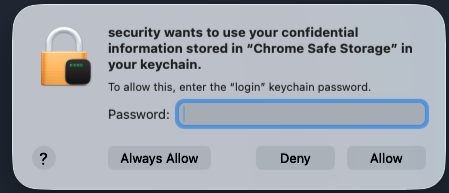
However, in my sandbox, I found that the first action was the security ACL prompt for Chrome Safe Storage
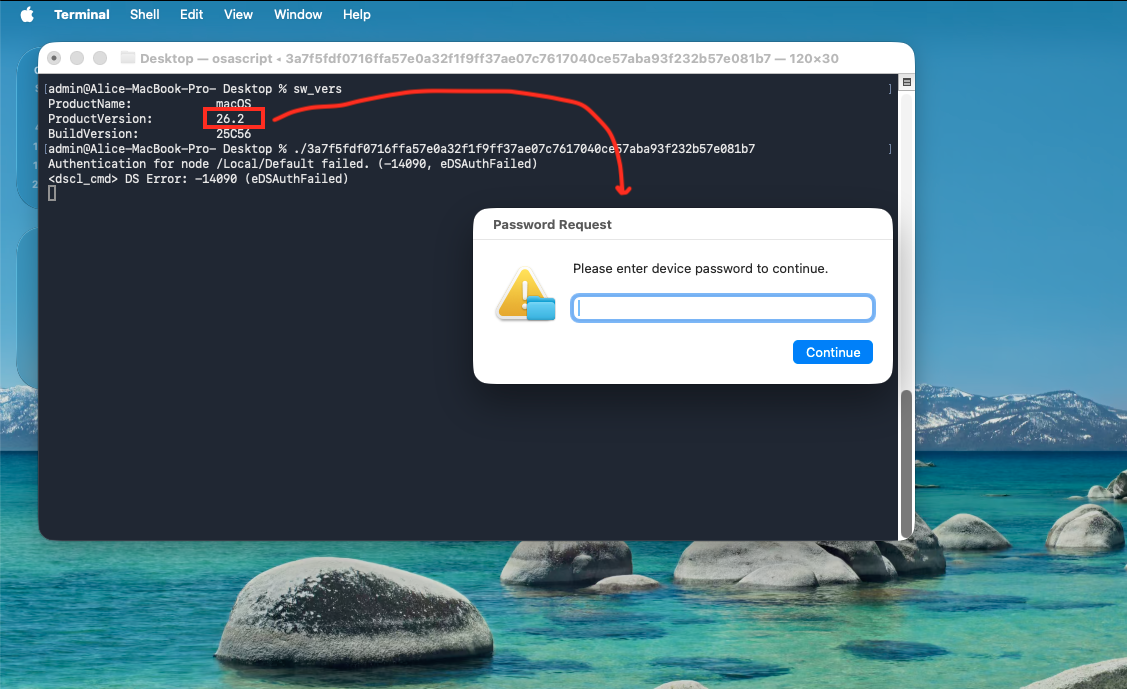
I tested this in my older sandbox that was still 26.2 and saw password prompt.
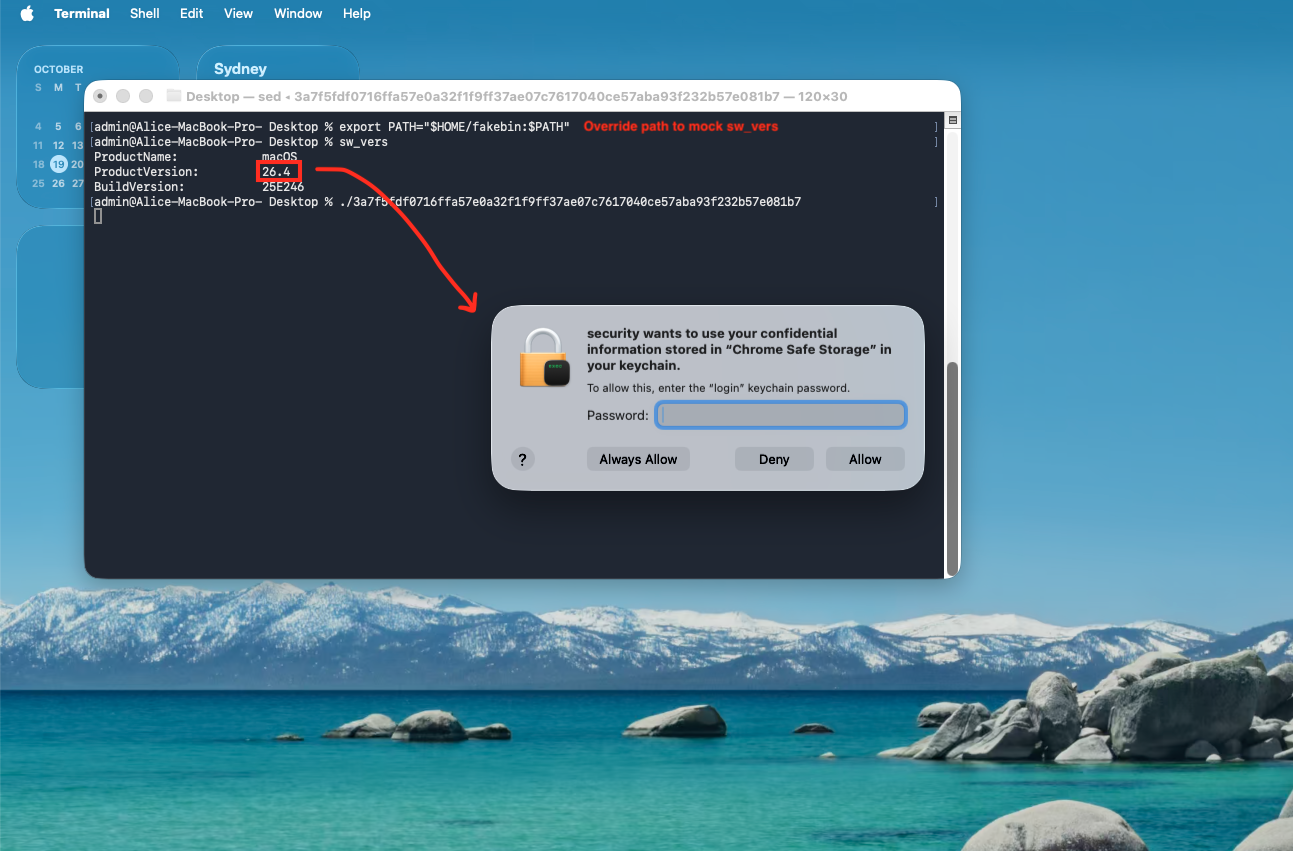
To demonstrate the different behaviours, I mocked sw_vers by overriding the path. The sample runs sw_vers -productVersion to check the OS version, so by mocking it, we can see what it does for different MacOS versions.
cat > ~/fakebin/sw_vers <<'EOF'
#!/bin/sh
case "$1" in
  -productVersion) echo "26.4" ;;
  *) printf 'ProductName:\t\tmacOS\nProductVersion:\t\t26.4\nBuildVersion:\t\t25E246\n' ;;
esac
EOF
chmod +x ~/fakebin/sw_vers

export PATH="$HOME/fakebin:$PATH"
./3a7f5fdf0716ffa57e0a32f1f9ff37ae07c7617040ce57aba93f232b57e081b7
Once we override it to trick the sample into thinking that it’s 26.4, we see that it will use security find-generic-password -ga "Chrome" instead
The sample is obfuscated and strings are encrypted using an algorithm based on Murmur3/SplitMix32, according to VT CodeInsights. Tried to vibe-reverse it but didn’t finish.
Conclusion
This isn’t new behaviour. In fact, it’s something we’ve seen even before AMOS, (See: Pureland) back in early 2023. It’s also not the only recent samples going for Chrome Safe Storage
- Group-IB’s ClickLock forces the same Chrome Safe Storage prompt
- Netskope documented a ClickFix stealer that instead runs
security unlock-keychain -pwith the phished password
It’s interesting how some of the old techniques we’ve seen before come back because of the changes in controls.
IOCs
# Sample
MD5     a6dd7a9332bed9225f0db4fe9453d4d1
SHA-256 3a7f5fdf0716ffa57e0a32f1f9ff37ae07c7617040ce57aba93f232b57e081b7

# Network (stage 1, from the binary)
okaloq[.]com / hxxps://okaloq[.]com/log      exfil panel (POST)
193.178.159[.]129                            stage-2 host
hxxp://193.178.159[.]129/web/bot             backdoor binary
hxxp://193.178.159[.]129/web/ledger.zip, /web/ledgerwallet.zip, /web/trezor.zip   trojanised wallet apps
HTTP headers: buildid: 7f877c932d9a462d9a01ba938231ec71 / username: 9j6tz0rkos

# Host (stage 1, from the binary)
/tmp/lksopo/, /tmp/lksopo.zip                staging (deleted after exfil)
/tmp/binaryexe                               stage-2 bot
~/.pwd ~/.phost ~/.bhost ~/.username ~/.botid
```